
Rajveerexch Login Help – Signing In and Fixing Common Problems
Logging in with a Rajveer Exchange ID is quick once you know where everything lives, and most of the trouble people hit comes down to two or three avoidable things. This page walks through the login step by step, explains what to do when a password is rejected or a link will not open, and sets out the security habits that keep your account and your balance safe. If you do not have an ID yet, start on the sign-up page instead.
How to log in
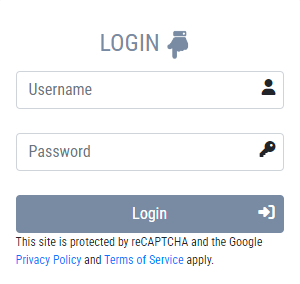
When your ID was created, the support desk sent you three things in your WhatsApp chat: a username, a password, and a link to the exchange panel. Those are what you sign in with.
- Open the panel link from your WhatsApp chat with support, or use the login panel on our home page.
- Enter the username and password exactly as they were given to you. They are case-sensitive, so a stray capital letter is the most common reason a first login fails.
- Change your password straight after you are in, pick something only you would know, and keep it private.
- Save the panel address as a bookmark so you always return to the real page rather than following a link from a message or an advert.
Common login problems and how to fix them
The password is rejected
Nine times out of ten this is a typo, a leftover space when the password was copied, or the caps-lock key. Type it by hand once, slowly. If it still fails, message the support desk with your username, never your password, and ask for a reset.
The login link will not open
Try it in a normal browser tab rather than inside another app's built-in viewer, and check your internet connection. If the page still does not load, the panel address may have been updated; ask support for the current link in your existing chat.
You have forgotten your password
There is no need to create a new ID. Message support from the same WhatsApp number you registered with, give your username, and they will verify you and arrange a reset.
The account seems locked
Accounts are sometimes paused after repeated failed attempts or for a routine check. Contact support and they will tell you why and how to restore access. Do not keep retrying, as that can extend a temporary lock.
Keeping your login safe
A few simple rules prevent almost every account problem that is not about the cricket itself.
- Never share your password or any OTP with anyone. A genuine agent will never ask you to read either of them out, not even to help with a payment.
- Only sign in from a page you trust — your own bookmark or our home page — not a link forwarded in a message, an SMS, or an advert, which is how phishing pages catch people.
- Check the web address before you type anything. Look-alike domains that copy the Rajveerexch name exist specifically to steal logins.
- Log out on shared devices and avoid saving the password in a public or borrowed browser.
Still stuck?
If none of the above works, the fastest fix is the WhatsApp support desk. Send your username and a short description of the problem in one message and an agent can usually sort it in minutes. Remember this is an 18+ service; if betting has stopped being enjoyable, you can ask support to pause your account, and our responsible gaming page lists free, confidential help in India.